
There has been a notable update from Amazon in regards to their referral and Amazon FBA fees for some product categories as of February 18, 2020. This may not come as a surprise considering fee increases on Amazon are nothing new. They tend to increase their fees on a yearly basis.
In our study of the most recent increase, we analyzed items sold in 2019, our previous fee percentage, and current fee charges. Overall, we are seeing an estimated 3% increase in FBA fees. FBA fee increases vary by product categories, some are listed below:
- Shoes, handbags & sunglasses: Referral fee percentage has decreased from 18% to 15% for products in the Shoes, Handbags & Sunglasses category with a total sales price above $75.
- Outdoor furniture: Outdoor furniture products have been consolidated into the Furniture category, which will reduce the referral fee percentage from 15% to 10% on any portion of the total sales price above $200.
- Personal care appliances: Personal care appliances have been consolidated into the Health & Personal Care category, which will lower the referral fee percentage for personal care appliances from 15% to 8% for items with a total sales price of $10 or less. Items with a total sales price above $10 for that category will remain at 15%.
- Activewear: All activewear clothing will be charged with the Clothing & Accessories category referral fee percentage of 17%.
- Amazon Business: Amazon has discontinued the tiered fee structure for Amazon Business and has applied one referral fee rate per category regardless of price. Products above $1,000 will be charged the same referral fee rate that currently applies to products $1,000 or less in each category.
To check your Referral and FBA fees and how they will affect your margins, follow the process below:
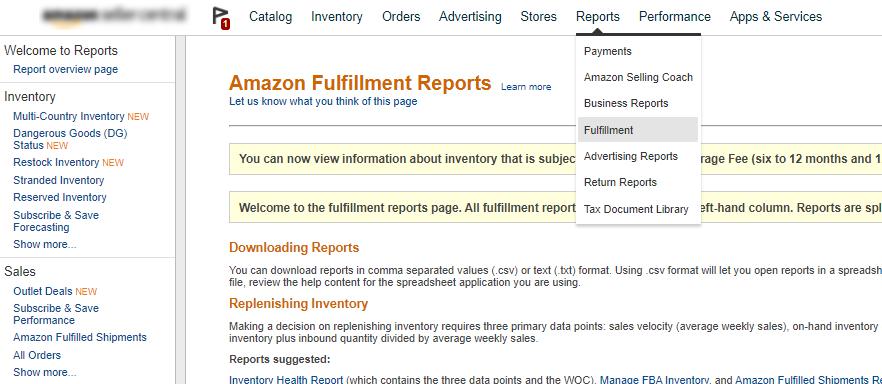
- Log into your Seller Central Account. Go to Reports > Fulfillment.
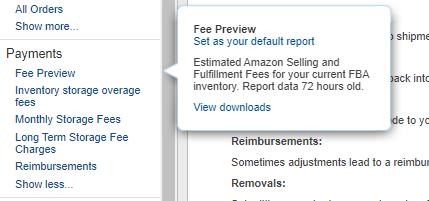
- Under the "Payments” portion of the menu on the left, select “Fee Preview” > “Download”.

- The report will appear in the queue as “In Progress”. Click “Download” under the “Report Status” column after the report has loaded.

- Note the key columns in the report you just downloaded and opened:
• Item Details: SKU, FNSKU, ASIN, product-name, brand

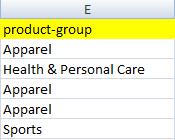
• Item Category: product-group
• Item Dimensions: longest-side, median-side, shortest-side, length-and-girth, unit-of-dimension, item-package-weight, unit-of-weight (these dimensions determine your product size tier and FBA fee).

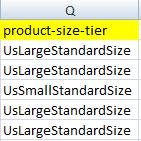
• Amazon Size-Tier: product-size-tier
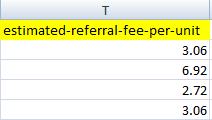
• Referral Fee: estimated-referral-fee-per-unit
• FBA Fee: expected-fulfillment-fee-per-unit
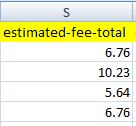
- Your estimated FBA fee will be listed in column Y (expected-fulfillment-fee-per-unit) while the Referral fee for each product is listed in column T (estimated-referral-fee-per-unit). To check total fees, check Column T (estimated-fee-total).
- Review any increases and how they affect your margins.
For more information about Amazon’s FBA fees, please refer to Amazon’s official FBA page.